

Settings (gear icon) —> Keybinding.
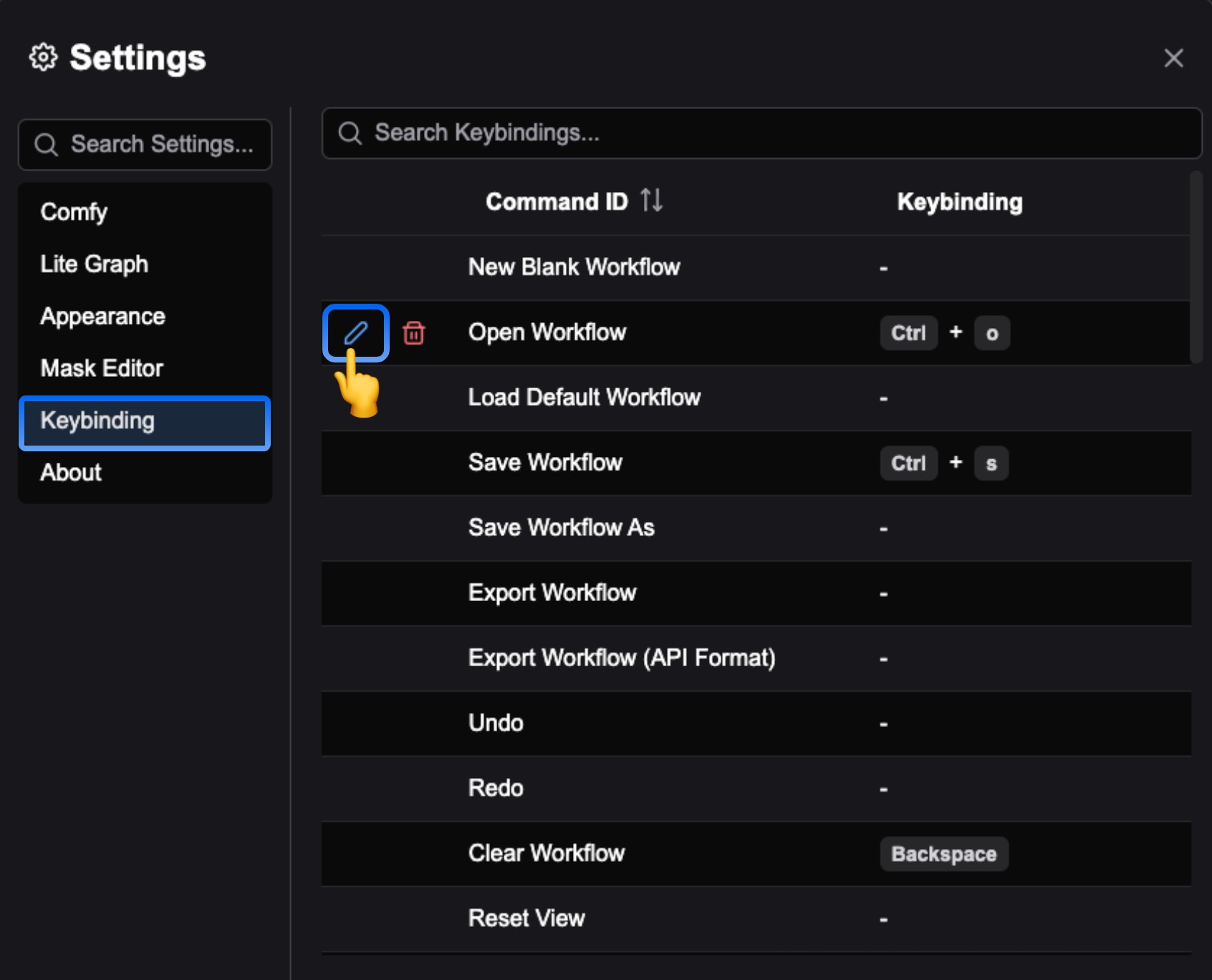 In the corresponding menu, you can see all the current shortcut settings for ComfyUI. Click the
 edit icon before the corresponding command to customize the shortcut.
Below is the current list of shortcuts for ComfyUI, which you can customize as needed.
- Windows/Linux
- MacOS
| Shortcut | Command |
|---|---|
| Ctrl + Enter | Queue prompt |
| Ctrl + Shift + Enter | Queue prompt (Front) |
| Ctrl + Alt + Enter | Interrupt |
| Ctrl + Z / Ctrl + Y | Undo/Redo |
| Ctrl + S | Save workflow |
| Ctrl + O | Load workflow |
| Ctrl + A | Select all nodes |
| Alt + C | Collapse/uncollapse selected nodes |
| Ctrl + M | Mute/unmute selected nodes |
| Ctrl + B | Bypass/unbypass selected nodes |
| Delete Backspace | Delete selected nodes |
| Backspace | Clear workflow |
| Space | Move canvas when holding and moving cursor |
| Ctrl + Click Shift + Click | Add clicked node to selection |
| Ctrl + C/Ctrl + V | Copy and paste selected nodes (without maintaining connections to outputs of unselected nodes) |
| Ctrl + C/Ctrl + Shift + V | Copy and paste selected nodes (maintaining connections from outputs of unselected nodes to inputs of pasted nodes) |
| Shift + Drag | Move multiple selected nodes at the same time |
| Ctrl + G | Add frame to selected nodes |
| Ctrl + , | Show settings dialog |
| Alt + = | Zoom in (canvas) |
| Alt + - | Zoom out (canvas) |
| . | Fit view to selected nodes |
| P | Pin/unpin selected items |
| Q | Toggle queue sidebar |
| W | Toggle workflow sidebar |
| N | Toggle node library sidebar |
| M | Toggle model library sidebar |
| Ctrl + ` | Toggle log bottom panel |
| F | Toggle focus mode (full screen) |
| R | Refresh node definitions |
| Double-Click LMB | Quick search for nodes to add |